
Invoice Maker & Estimate App
Bookipi - Billing EstimateBusiness
4.65.05K Reviews
- Version
- 1.4.80
- Installs
- 1.00M
- Age Rating
- Everyone
Screenshots
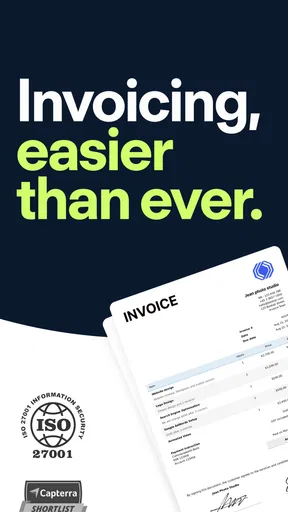

Our Review of Invoice Maker & Estimate App
 Analysis by Appyee
I tend to judge an invoicing app less by how impressive it feels on the first day and more by whether I still reach for it when work gets busy. Invoice Maker & Estimate App is built for the practical rhythm of small-business billing: preparing an estimate, turning agreed work into an invoice, and keeping those documents close at hand. Its appeal is easy to understand, but the more useful question is whether a simple mobile workflow can become a dependable habit rather than another app to maintain.
Useful from the first client request
The first-week appeal is straightforward. When a customer asks for a price while you are away from your desk, being able to prepare an estimate on a phone can save the awkward delay of promising to send it later. For a freelancer who charges for a defined job, the useful step is to describe the work clearly before the client agrees, then carry that agreed scope into the invoice instead of rebuilding it from scratch. That handoff is more valuable than a polished template on its own.
I would treat the estimate as a small piece of project communication, not just a total. A clear description helps both sides remember what was included, especially when a job has several parts. Before sending one, I’d check the wording, quantities, and contact details on the screen; a fast workflow is only helpful if the document still says exactly what I intend. The same habit matters when turning an approved estimate into a bill: review the final version rather than assuming a conversion removes every chance of a mistake.
The app is a business tool from Bookipi - Billing Estimate, and its focus is narrower than a full bookkeeping package. That focus suits people who mainly need to produce customer-facing documents. If your work involves quoting a repair, design assignment, lesson package, or other clearly scoped service, a phone-based estimate can be especially handy between appointments. If you run a business with layered approval, complex inventory, or detailed accounting procedures, the first-week convenience may not be enough to replace your existing system.
Getting Started with the App
Jumping into the Invoice Maker & Estimate App is like slipping into a well-tailored suit—it just fits! Setting up is a breeze. Once you download it from your app store, you’re welcomed with a clean, intuitive interface that doesn’t require a degree in accounting to navigate. Trust me, if I can do it, anyone can!
After a quick sign-up process, you’re ready to roll. The app allows you to customize your invoices with your business logo, colors, and contact details. It feels like having a personal branding assistant right in your pocket. Plus, the templates are professional and easy to tweak, making your invoices look top-notch.
Features that Stand Out
One of the first things I noticed was the array of features packed into this app. Let’s break down a few that caught my eye:
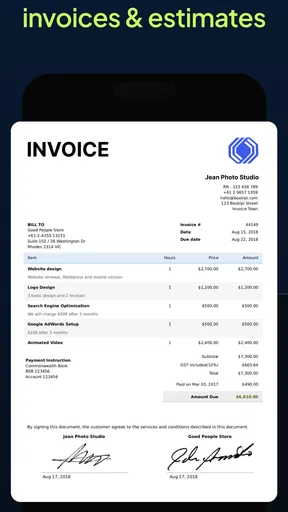
- Estimate Creation: Need to send a quick estimate? This app lets you create detailed estimates in minutes, which you can then convert into invoices with a simple tap.
- Expense Tracking: Say goodbye to messy spreadsheets. You can track expenses easily and categorize them for better insights into where your money is going.
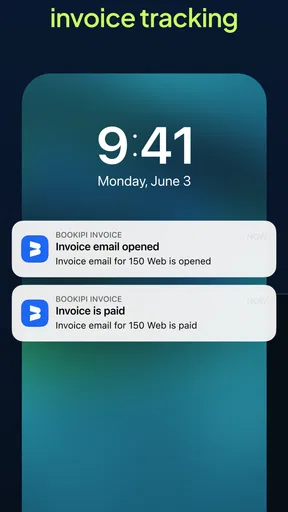
- Real-time Notifications: Get notified when clients view or pay invoices. It’s like having a personal assistant without the hefty paycheck.
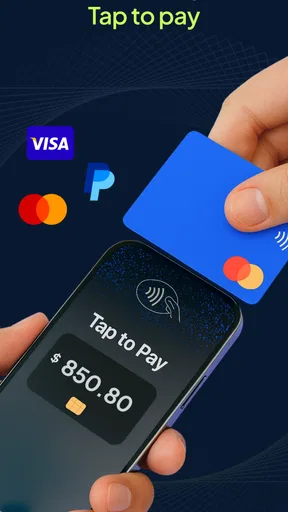
- Payment Integration: You can integrate with payment platforms, allowing clients to pay directly through the invoice. Talk about convenience!
Making the workflow last beyond the first week
Month-to-month value comes from consistency, not from creating a large pile of records. I’d use a repeatable routine: prepare the estimate when the scope is fresh, check it before it goes to the client, and make time to review invoices that still need attention. For recurring types of work, keeping descriptions and formatting consistent can make documents easier to scan and reduce the chance that a familiar service is described differently each time.
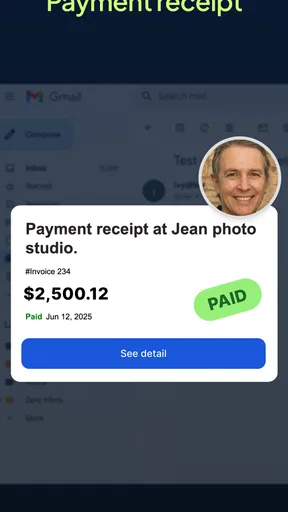
A realistic example is a freelance photographer finishing a small event. Before leaving the venue, they can note the agreed package in an estimate for a follow-up job, then send the invoice for completed work without waiting until they are back at a computer. The app’s mobile orientation can help close that gap between doing the work and handling the paperwork. I would still review the details somewhere calm before sending anything important; speed is useful, but a wrong amount or vague scope can cost more time than it saves.
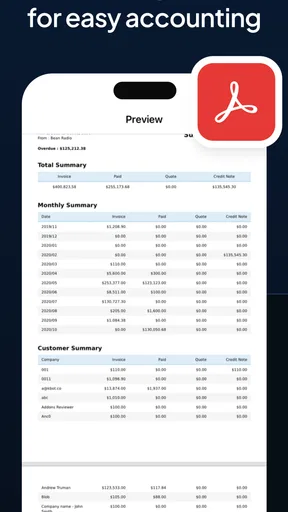
One practical tip is to decide on a naming and description style before you accumulate many documents. Use wording that will make sense to you weeks later, not a shorthand that only makes sense on the day. Another is to separate the client-facing purpose of an estimate from internal financial tracking. A tidy invoice helps a customer understand a charge, while expense records help you understand your own costs; neither should be treated as a substitute for careful bookkeeping.
User Experience
The app runs smoothly on both Android and iOS, with no hiccups or crashes during my testing period. I appreciate the thoughtful design choices, like the use of simple icons and a straightforward menu system. It’s clear the developers put a lot of thought into making the app user-friendly.
Another highlight is the customer support. Whether you have a question or a hiccup, the support team is responsive and helpful. They even offer a built-in chat feature, so you’re never more than a couple of taps away from assistance.
Where it fits among other business tools
Compared with a spreadsheet, an invoice-making app gives you a more focused route from quote to customer-ready document, while a spreadsheet can be easier to adapt if you already have a carefully designed process. Compared with comprehensive accounting software, this app is aimed at the front end of billing rather than every financial task a company may need to manage. That distinction matters: I would choose a dedicated invoicing workflow for quick estimates and bills, but keep a more complete accounting tool in the picture if I needed broad reporting, reconciliation, or a detailed view of business finances.
There is also a trade-off in putting business documents on a phone. It is convenient when I need to act immediately, but a small screen is less comfortable for checking long descriptions or comparing several line items. I’d draft short documents on mobile and reserve more complicated pricing for a careful review. The app’s free entry point makes it approachable, though in-app purchases range from $7.49 to $174.99 per item, so I’d check what a paid option includes and whether it solves a real recurring need before committing.
Who Should Use This App?
If you’re a freelancer, small business owner, or anyone who sends out invoices regularly, this app is a game-changer. It takes the hassle out of managing invoices and estimates, leaving you more time to focus on what you do best—running your business.
For those always on the go, the mobile-friendly nature of the app means you can handle your invoicing needs anywhere, whether you’re at a coffee shop or on a beach.
I’d be more cautious if you rarely invoice, have only a few customers, or already have a process that works without friction. In that situation, adding another place to store business information may create more upkeep than value. It is also worth deciding who will maintain client details and check outgoing documents if more than one person handles billing. A mobile invoice maker works best when someone owns that small routine, rather than treating the app as a set-it-and-forget-it archive.
Maintenance, limits, and lasting value
The maintenance burden is modest only if the records stay orderly. Client names and contact details need to remain current, descriptions should be understandable later, and invoices deserve a final check before they leave your hands. Those are ordinary business responsibilities, not a special flaw of this app, but a quick interface can make it tempting to send a document before reviewing it. I would make the review part of the habit: verify the recipient, work description, and amount every time.
Potential fatigue comes from repetition and from expecting an invoice tool to solve broader business problems. If every job has unusual pricing, complex tax handling, or several people approving the paperwork, a streamlined mobile process may start to feel cramped. Likewise, notifications and document creation are only useful if they match how you actually follow up with customers. I would not switch a working accounting setup just to use a simpler invoicing screen; I’d use this where it removes a specific bottleneck and leave the rest of the workflow intact.
For people wondering whether it is approachable, the app is free to start, is rated for Everyone, and supports devices running Android 8.0 or later. It has an average rating of 4.6 from around 66,000 ratings, with over 1 million installs. Those figures suggest broad use, but they do not tell me whether it fits a particular business, so I’d judge it by the time it saves on the documents I send regularly. The current version is 1.4.70, and the app has been available since August 21, 2018; neither fact changes the basic advice to test the workflow against real jobs before relying on it.
Final Thoughts
Overall, the Invoice Maker & Estimate App is a robust tool that simplifies the invoicing process. It’s packed with features that cater to the needs of small business owners and freelancers. Its user-friendly interface and top-notch customer support make it a no-brainer for anyone looking to streamline their billing process.
Give it a whirl, and you might just find yourself wondering how you ever managed without it. Whether you’re new to invoicing or a seasoned pro, this app could be the trusty sidekick you’ve been missing.
My longer-term verdict is more measured: it earns a place on my phone when estimates and invoices are a regular part of my working week, and when I value being able to prepare them away from a desk. Its lasting value depends on a simple habit of keeping details accurate and reviewing each document before sending. If you want a full financial command center, or your existing system already handles billing cleanly, another option may suit you better. For independent workers who need a practical way to keep customer billing moving, this is a sensible tool to try and keep only if it continues to save effort after the novelty wears off.
Verdict
Strengths of Invoice Maker & Estimate App
- User-friendly interface boosts productivity.
- Customizable templates for personalized invoices.
- Supports multiple currencies and languages.
- Integrates seamlessly with accounting software.
- Real-time notifications for invoice tracking.
Limitations of Invoice Maker & Estimate App
- Limited free version features.
- Occasional sync issues with cloud services.
- No offline mode for invoice creation.
- Advanced features require premium subscription.
- Customer support response can be slow.
Similar Picks in This Category
View All
LinkedIn: Community & Network
LinkedIn3.8

Zoom Workplace
zoom.com4.1

Microsoft Teams
Microsoft Corporation4.6

Meta Business Suite
Meta Platforms, Inc.4.6

Webex Meetings
Cisco Systems, Inc.4.5

TeamViewer Remote Control
TeamViewer4.4
Frequently Asked Questions
What features does the Invoice Maker & Estimate App offer?
The Invoice Maker & Estimate App offers a range of features designed to streamline invoicing and estimating processes. Users can create professional invoices and estimates, customize templates, track payments, and manage client information. Additionally, the app supports multiple currencies and integrates with popular payment platforms for seamless transactions.
Is the Invoice Maker & Estimate App user-friendly?
Yes, the app is designed with user-friendliness in mind. It features an intuitive interface that makes it easy for users to navigate and utilize all available tools. Whether you are a small business owner or a freelancer, you can quickly create and send invoices without any steep learning curve.
Can I use the Invoice Maker & Estimate App offline?
The Invoice Maker & Estimate App offers offline functionality, allowing users to create and edit invoices without an internet connection. However, features such as syncing with cloud storage or sending invoices via email will require an active internet connection. Offline edits will automatically sync once you are back online.
Does the Invoice Maker & Estimate App support multiple currencies?
Yes, the app supports multiple currencies, making it ideal for businesses dealing with international clients. Users can easily set their preferred currency for each invoice or estimate, ensuring accurate billing and reducing the risk of conversion errors. This feature is particularly beneficial for freelancers and small businesses operating globally.
Is customer support available for the Invoice Maker & Estimate App?
The app provides robust customer support to assist users with any issues or questions they may encounter. Support is available through various channels, including email, live chat, and an in-app help center. The support team is responsive and equipped to help with troubleshooting, feature inquiries, and general guidance.
